The all-in-one platform for tax preparers

Run your entire practice
from one app.

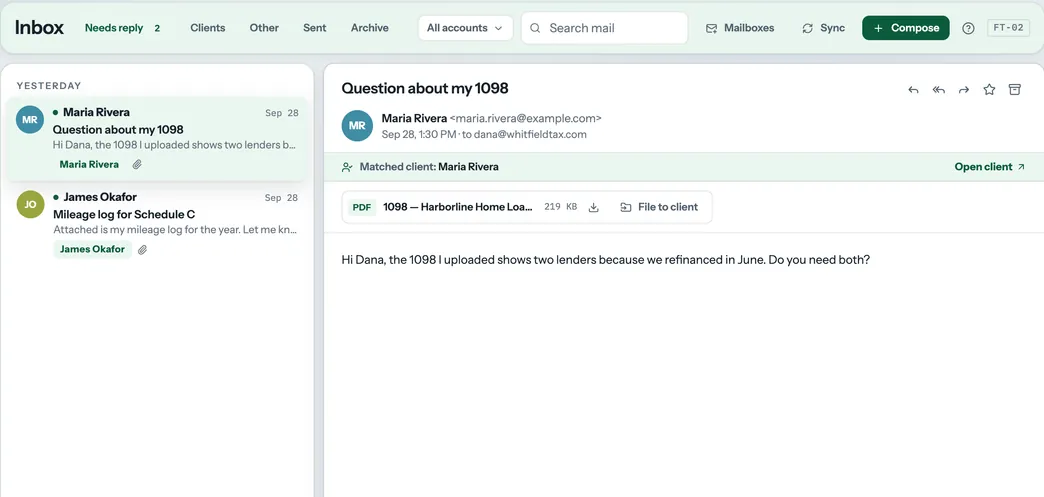
Client management, invoicing, e-signatures, intake portals, workflow automation, secure messaging, and AI document tagging — everything a modern tax practice needs, in one beautiful platform.

No account required Files stored privately Works offline

Free for up to 3 clients. No credit card. No signup required.

Agency
Dashboard
Invoices
Pipelines
Messages
Time Tracking
Scheduling
Analytics
Integrations
Clients
JD
John Davis
2026 · 3 tasks
SM
Sarah Miller
2026 · 5 tasks
RJ
Robert Johnson
2026 · 2 tasks
+ Add Client

Dashboard

Import CSV
+ Add Client
Total Clients
12
of ∞ allowed
Open Tasks
28
14 completed
Overdue Clients
1
need attention
Unbilled Time
$840
6.5 hrs tracked

Recent Clients

John Davis20263 tasks
Sarah Miller20265 tasks
Robert Johnson20262 tasks
Platform Features

Everything you need to run a modern tax practice

From client intake to final filing — manage your entire workflow with tools built specifically for tax professionals.

Client Management

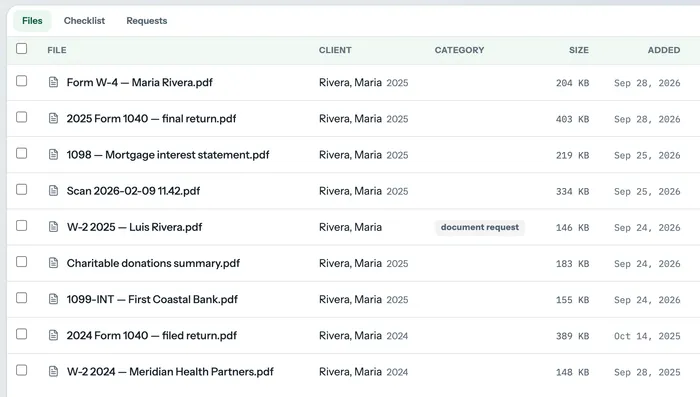
Every client gets a dedicated workspace with tasks, documents, files, messaging, and activity timeline. Find anyone instantly with global search.

Invoicing & Payments

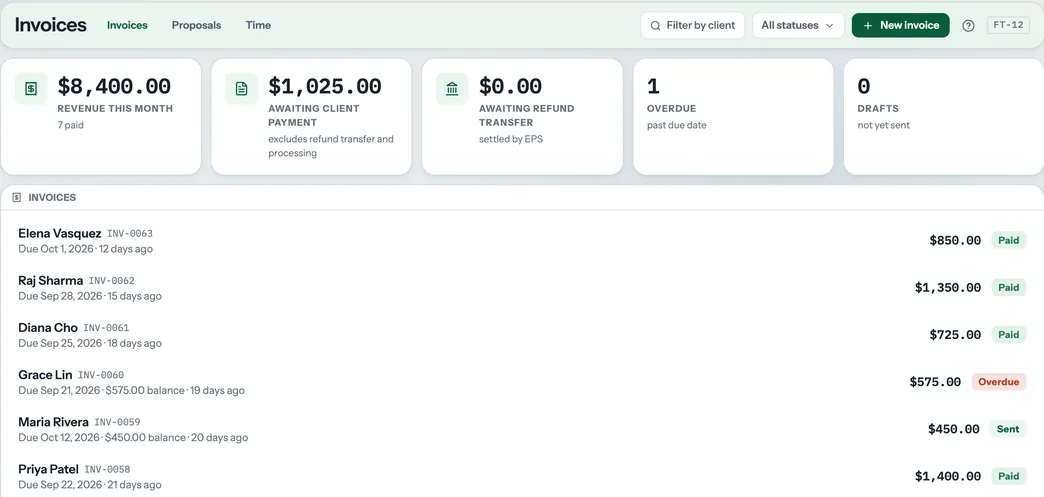
Create professional invoices, send them with Stripe payment links, track payments, set up recurring billing, and paywall documents until the client pays.

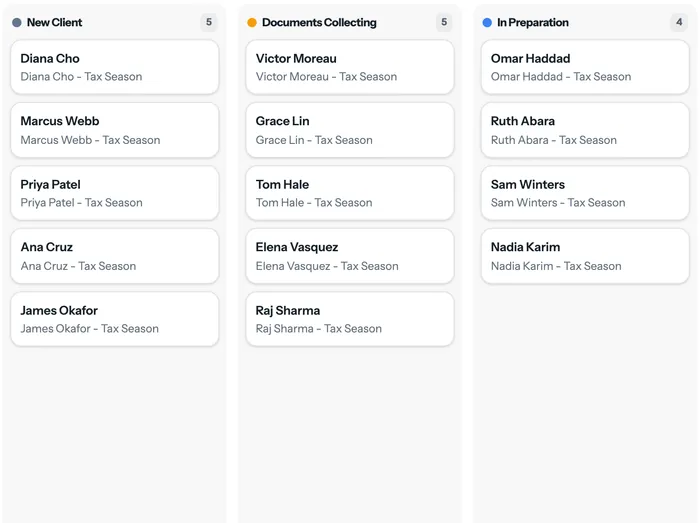
Workflow Pipelines

Kanban-style boards that move clients through stages like "Docs Needed", "In Prep", "Review", "Filed". Automations fire tasks, emails, and invoices at each stage.

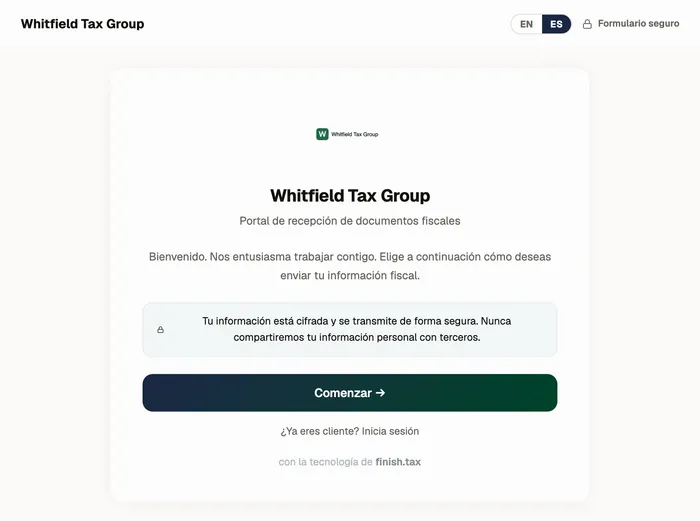
Client Intake Portal

A branded portal your clients use to submit their tax info and documents. Quick Drop (2 min) or Full Intake (10 min). Embed it on your website with one script tag.

Secure Messaging

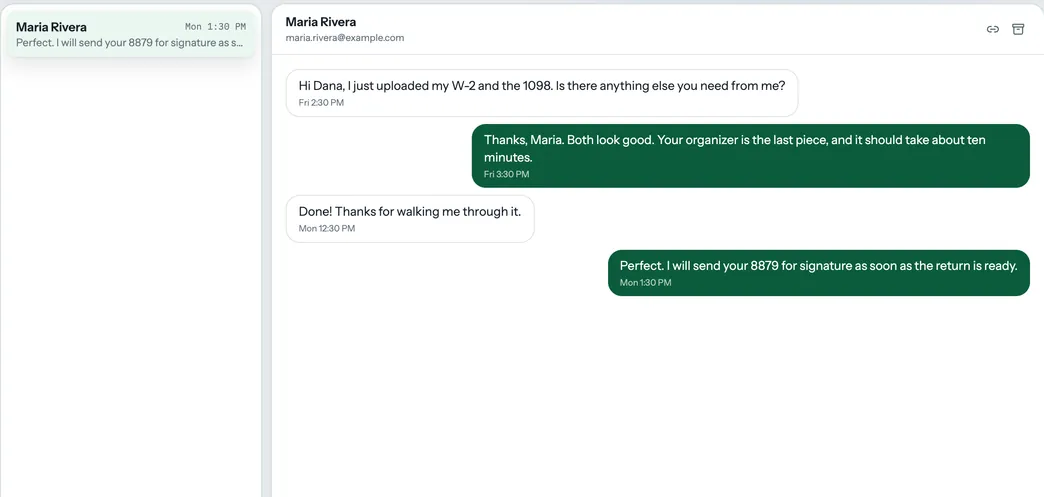
Threaded, encrypted messaging between you and each client. They reply through the portal — no scattered emails. You get notified instantly.

E-Signatures

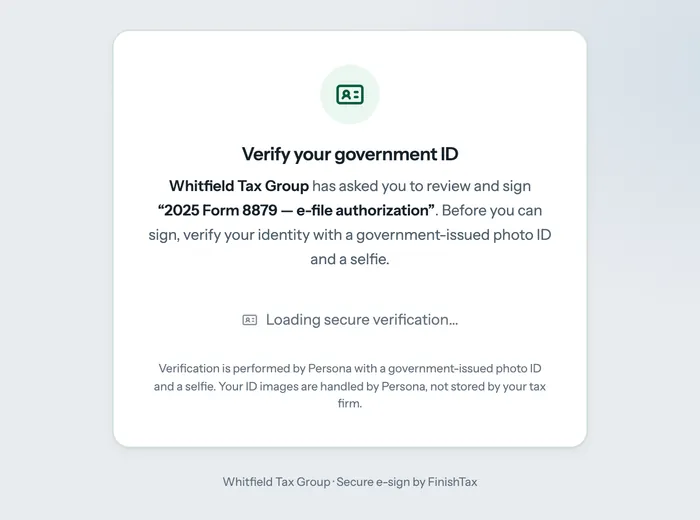
Send any PDF for legally binding e-signature. Clients sign through the portal. Signed copies automatically saved to their file. Powered by SignNow.

AI Document Tagging

Upload a W-2 and AI automatically identifies it, suggests a filename, tags the tax year, and categorizes it. Accept with one click. Powered by Claude.

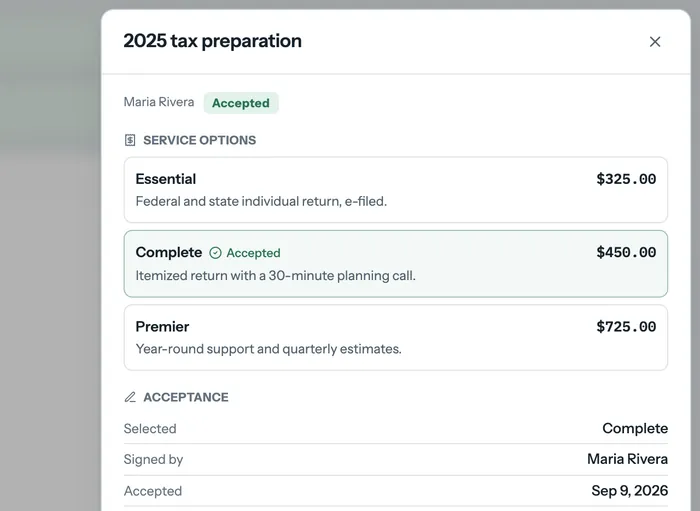
Proposals & Engagement Letters

Send multi-tier proposals to clients. They choose a plan and accept online. Auto-generates invoices and engagement letters with e-signature.

Zapier & API Integration

Connect FinishTax to 5,000+ apps via webhooks. Auto-create clients from CRM, post Slack messages on invoice payments, sync with Google Sheets.

Time Tracking & Billing

Track billable hours with a live timer or manual entries. Set hourly rates, monitor budgets, and convert tracked time directly into invoices with one click.

Appointment Scheduling

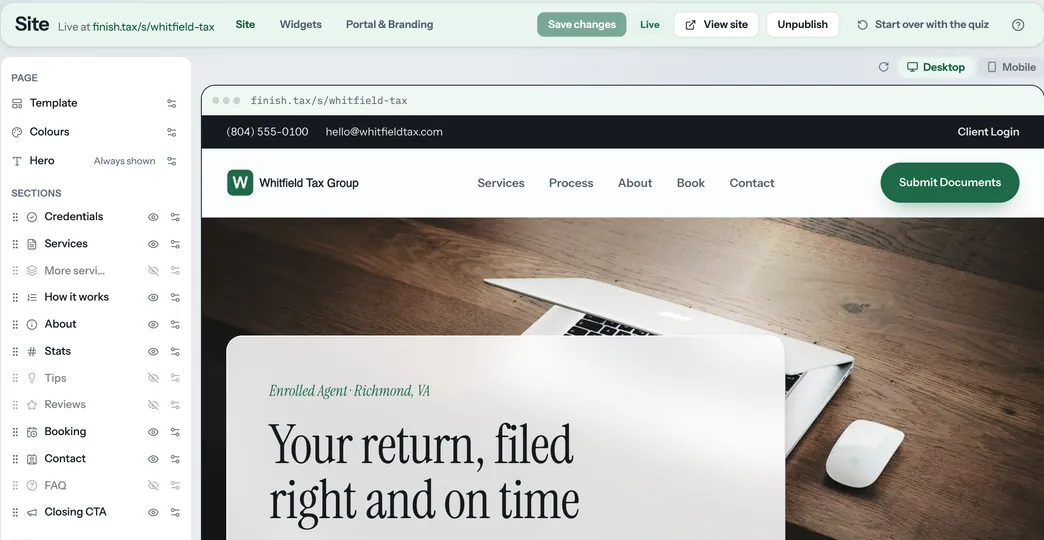
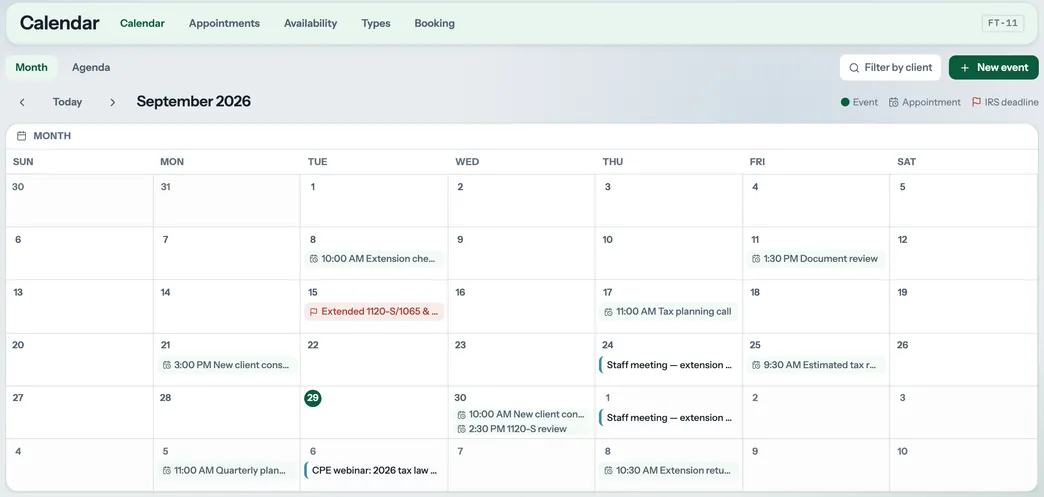
Clients book appointments through your personalized booking page. Set your availability, appointment types, and get automatic reminders. Google Calendar sync.

Tax Return Delivery

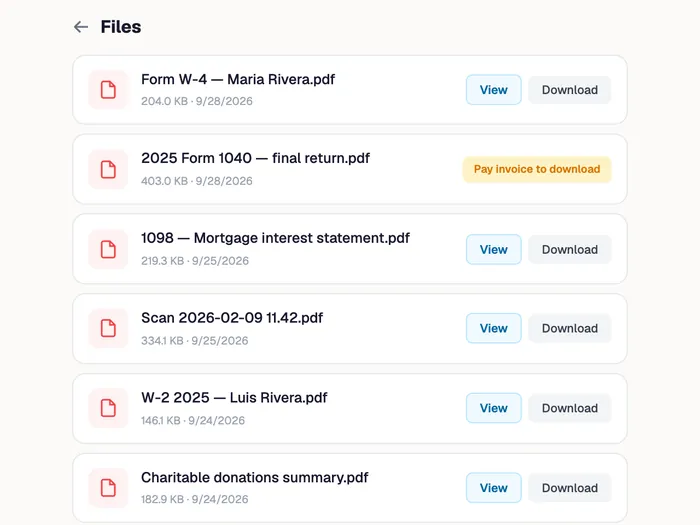
Deliver completed returns through a secure portal. Gate access behind payment, require client acknowledgment, and get e-signatures — all tracked with a full audit log.

Tax Organizers

Send annual questionnaires to clients. Answers auto-populate document checklists and create tasks. Smart triggers detect which documents you need based on their responses.

Practice Analytics

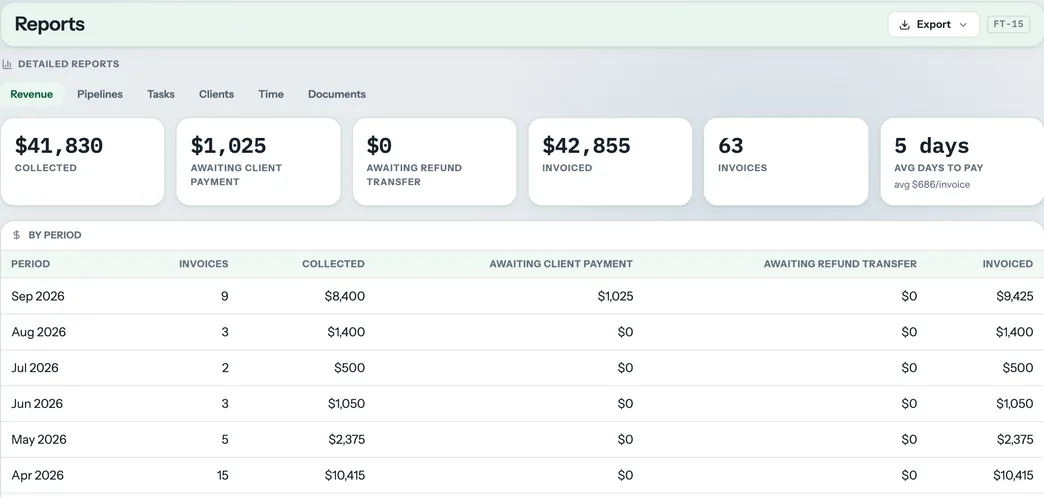
Revenue dashboards, pipeline throughput, task completion rates, document turnaround times, and team productivity metrics. Data-driven decisions for your firm.

Compare

How FinishTax compares

Everything TaxDome offers, at a fraction of the price.

Feature FinishTax from $29/mo TaxDome from $50/user/mo
Client management
Task management
Secure messaging
E-signatures
Invoicing & payments
Client intake portal
Workflow pipelines
AI document tagging
Proposals & engagement letters
Website embed (intake form)
Free plan available
Flat-rate pricing (not per seat)
Cost for 5-person firm$79/mo~$330/mo
Setup timeMinutes6 – 8 weeks
0
Features built
0
API endpoints
0
Database tables
0
Day free trial
Who It's For

Built for the way tax preparers actually work

Solo Preparers

40 – 150 clients

You handle everything yourself -- client intake, document collection, preparation, and filing. FinishTax gives you a single organized workspace so nothing falls through the cracks, even at peak season volume.

Small Firms

2 – 10 preparers

When multiple preparers share a client pool, visibility matters. FinishTax's Firm plan gives your whole team a shared workspace with task assignment, pipeline tracking, and a team activity log so everyone stays aligned.

Enrolled Agents

Year-round work

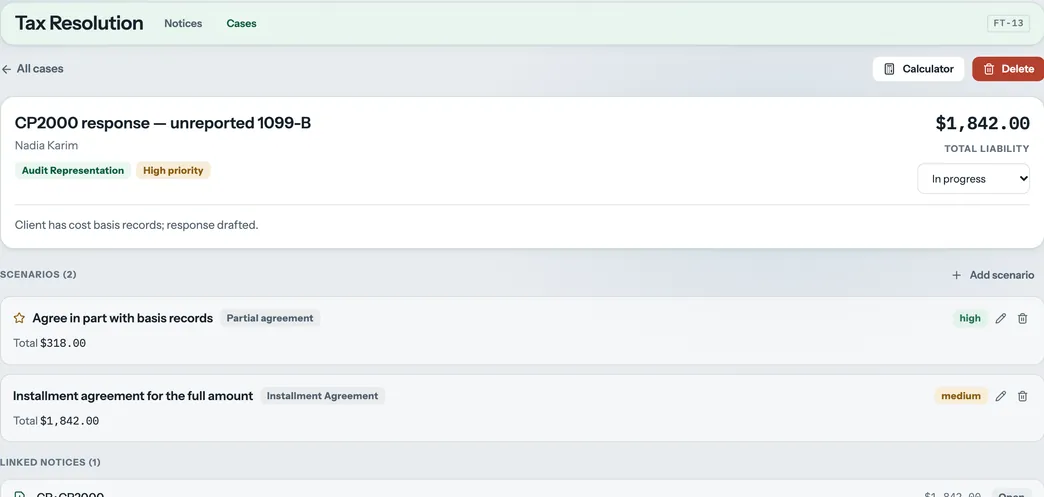
Your work doesn't stop on April 15. Amendments, IRS correspondence, installment agreements -- each needs its own task list and document trail. The activity timeline logs everything automatically so you always have a clear record.

Get Started in Minutes

Simple by design. Powerful where it counts.

FinishTax doesn't require training, onboarding calls, or an IT department. Open it and start working.

1

Open the app in your browser

No download, no installation, no account needed. Open finish.tax/app/ in Chrome, Firefox, or Edge. Set a 4-digit PIN on your first visit and you're in. Sample clients load automatically so you can explore before adding your own.

2

Add your clients

Enter a client's name, tax year, filing status, and contact info. FinishTax automatically creates a full document checklist for each client with 20+ common tax forms pre-filled. Use task templates to hit the ground running.

3

Assign tasks and upload documents

Create tasks with priorities and due dates for each client. Drag and drop their W-2s, 1099s, and other files directly into the client's workspace. Check off documents as they arrive and track what's still missing.

4

Track everything from your dashboard

Your dashboard shows every overdue task, today's priorities, and upcoming deadlines across all clients. The client status badges (On Track, Needs Attention, Overdue, Complete) update automatically as you work.

Ready to get organized?

Open FinishTax Free →

Never lose track of a client to-do again

Each client in FinishTax has their own independent task list. Add a task in seconds — give it a title, pick a category, set a priority, and assign a due date.

Tasks are grouped by status: To Do, In Progress, Awaiting Client, and Completed. Overdue tasks highlight in red. Tasks due today highlight in yellow. Filter instantly with one-click pills: All, Due Today, This Week, Overdue.

  • 7 categories: Document Collection, Filing, Review, Client Follow-Up, Payment, Amendment, Other
  • High / Medium / Low priority with color coding
  • Overdue tasks highlighted red automatically
  • Filter pills: Today, This Week, Overdue, Completed
  • Bulk complete or delete multiple tasks at once
  • Activity timeline logs every task change automatically

Tasks

All Due Today This Week Overdue
Collect W-2 from client
High · Due Jan 31
To Do
Review draft return
Medium · Due Feb 14
In Progress
File extension
Low · Due Apr 15
Awaiting

All your client documents, exactly where you need them

Drag a file into FinishTax and it's stored right inside the client's workspace — no separate folder structure, no file naming conventions to remember.

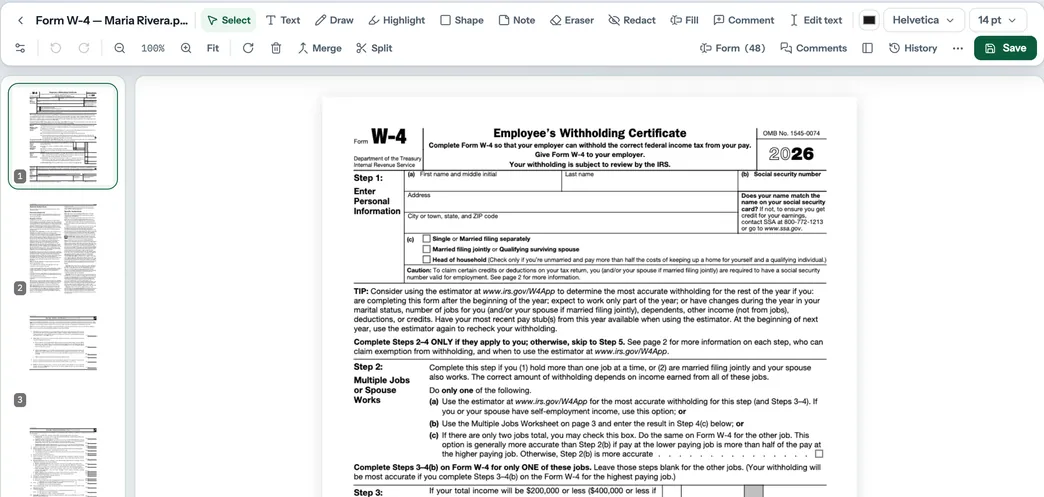
Accepts any file type: PDFs, images, Word documents, Excel spreadsheets. Categorize each file and tag it to a tax year. Preview PDFs and images directly in the browser without downloading. Link files to checklist items for complete document tracking.

  • Drag-and-drop upload for any file type
  • 16 document categories including W-2, 1099, Signed Return
  • In-browser PDF and image preview
  • Link uploaded files to your document checklist
  • Filter files by category and tax year
  • Storage usage meter always visible

Files

📄
Drag & drop files here or click to browse
PDF
W2_Johnson_2024.pdf
W-2 · 245 KB
👁
PDF
1099INT_2024.pdf
1099 · 89 KB
👁
IMG
ID_scan.jpg
ID Verification · 1.2 MB
👁

Your entire practice visible in one morning glance

The FinishTax dashboard is the first thing you see every time you open the app. Four summary cards show your total clients, open tasks, overdue clients, and current plan.

Recent Clients gives you fast access to whoever you were last working on. The client list sidebar updates status badges automatically — On Track, Needs Attention, Overdue, or Complete — so you never have to wonder where a client stands.

  • Total clients, open tasks, overdue — at a glance
  • Recent Clients for fast navigation
  • Client status badges update automatically
  • Global search across all clients, tasks, and files
  • "All saved" sync indicator — always know your data is safe
  • PIN auto-lock after configurable inactivity timeout

Dashboard

3
Total Clients
of ∞ allowed
10
Open Tasks
2 completed
1
Overdue
need attention
Agency
Plan
Manage plan
Pricing

Start free. Upgrade when you're ready.

FinishTax is free for up to 3 clients — no credit card, no time limit. Upgrade as your practice grows.

Free
Start strong with core tools to manage your first clients — forever free, no credit card.
$0
/ month · forever free
Get Started Free
What's included:
  • Up to 3 clients
  • 10 tasks per client
  • Document checklists
  • Dashboard overview
  • Client contacts
  • File uploads
  • Invoicing & payments
  • Messaging & e-signatures
  • Pipelines & automations
  • Team members
Small Firm
Collaborate with your team and deliver a premium client experience at scale.
$79
/month
Start Firm Plan
All Solo features, plus:
  • Up to 5 team members — assign clients, track team activity
  • 5GB file storage — room for your entire client base
  • Client intake portal — branded portal for document submission
  • Recurring invoices — auto-bill monthly bookkeeping clients
  • Proposals & engagement letters — send and get signed online
  • Pipeline automations — auto-create tasks on stage changes
  • Team chat — internal firm-wide messaging with channels
  • Custom branding — your logo on the portal and emails
  • QuickBooks integration — sync invoices and payments
  • SMS notifications — text reminders to clients
  • Google Calendar sync — appointments synced automatically
  • Document paywalls — gate file access behind payment
  • 5% payment processing fee
  • Standard support for growing firms. Average response: 12h
Agency
Full power for large firms — advanced automation, API access, and premium support.
$149
/month
Start Agency Plan
All Firm features, plus:
  • Unlimited team members — scale your team without limits
  • Unlimited file storage — no storage caps ever
  • White-label portal — remove FinishTax branding entirely
  • REST API access — build custom integrations with your tools
  • Webhooks & Zapier — connect to 5,000+ apps automatically
  • Advanced analytics — revenue, pipeline, and team dashboards
  • IRS transcripts — pull transcripts directly into client files
  • Website embed system — embed intake forms on your site
  • 2.5% payment processing fee — lowest rate available
  • Priority support for large firms. Average response: 6h

All paid plans include a 14-day free trial. Cancel anytime. No contracts.

Compare Plans

See exactly what's included in each plan

Feature
Free
Solo
Firm
Agency
Client Management
Documents & Files
Communication
Billing & Invoicing
Workflow & Automation
Scheduling
Client Portal
Team
Integrations
Support

Frequently Asked Questions

Is there really a free plan? +

Yes. The free plan supports up to 3 clients with full task management, document checklists, and dashboard access. No credit card required, no time limit. Use it forever.

Can I upgrade my plan at any time? +

Absolutely. Upgrade from Settings → Plans & Billing at any time. The cost is prorated for the remainder of your billing period. Downgrade anytime too — changes take effect at the next billing cycle.

How does the payment processing fee work? +

When you send invoices through FinishTax and clients pay via Stripe, we charge a small platform fee on the transaction (5% for Solo/Firm, 2.5% for Agency). This is on top of Stripe's standard processing fees. If you collect payments outside of FinishTax, there's no fee.

Are there limits on clients? +

The free plan is limited to 3 clients. All paid plans (Solo, Firm, Agency) include unlimited clients with no caps or overage charges.

Can I cancel anytime? +

Yes. Cancel from Settings at any time. Your access continues until the end of your billing period. No cancellation fees, no contracts, no questions asked.

Do you offer refunds? +

We offer a full refund within the first 14 days of any paid plan. After that, you can cancel anytime but refunds are not issued for partial billing periods.

How does team billing work? +

Team billing is per-account, not per-seat. The Firm plan ($79/mo) includes up to 5 team members. The Agency plan ($149/mo) includes unlimited team members. No per-user fees.

What integrations are available? +

Firm plans include QuickBooks Online and Google Calendar. Agency plans add Zapier (5,000+ apps), REST API, webhooks, and IRS transcript downloads. Stripe Connect is available on all paid plans for accepting client payments.

Who It's For

Built for the way tax preparers actually work

Solo Preparer
40 – 80 clients per season

You're handling dozens of clients by yourself. Between chasing down missing W-2s, tracking amendment requests, and making sure nothing slips past the filing deadline — it's a lot to hold in your head. FinishTax gives you one organized place to put all of it.

Small Firm
2 to 5 preparers sharing clients

When multiple preparers are working the same client pool, things fall through the cracks. Who collected the 1099s? Did someone already call about the K-1? FinishTax's Firm plan gives your whole team a shared workspace so everyone knows every client's status in real time.

Enrolled Agent
Year-round client representation

Your work doesn't stop on April 15. Amendments, IRS correspondence, installment agreements — each one needs its own task list and document trail. The activity timeline logs everything automatically so you always have a clear record of what happened and when.

Questions

Everything you need to know

Yes — completely free for up to 3 clients with no time limit and no credit card required. You get full task management, document checklists, PIN protection, and the dashboard at no cost. File uploads and unlimited clients require a paid plan.
On the free plan, your data is stored locally in your browser using localStorage — it never leaves your device and is never transmitted to any server. Your 4-digit PIN adds an additional layer of protection. On paid plans, data syncs to encrypted cloud storage for multi-device access.
On the free plan, clearing your browser's localStorage will erase your FinishTax data. This is why we strongly recommend using the Export Data feature regularly (Settings → Export) to save a JSON backup file to your computer. Paid plans store data in the cloud, so clearing your browser won't affect anything.
On the free plan, data is stored in the browser you used — so it won't appear on a different computer. The Solo plan ($29/month) includes cloud sync so your clients, tasks, and files are available on any device you log into.
FinishTax accepts any file type — PDFs, JPGs, PNGs, Word documents, Excel spreadsheets, and more. PDFs and images preview directly in the browser. File storage is 500MB on Solo and 5GB on Firm. The free plan does not include file uploads.
Tasks are unlimited on all plans including free. The only limit on the free plan is the number of clients (3 max). Upgrade to any paid plan for unlimited clients and tasks.
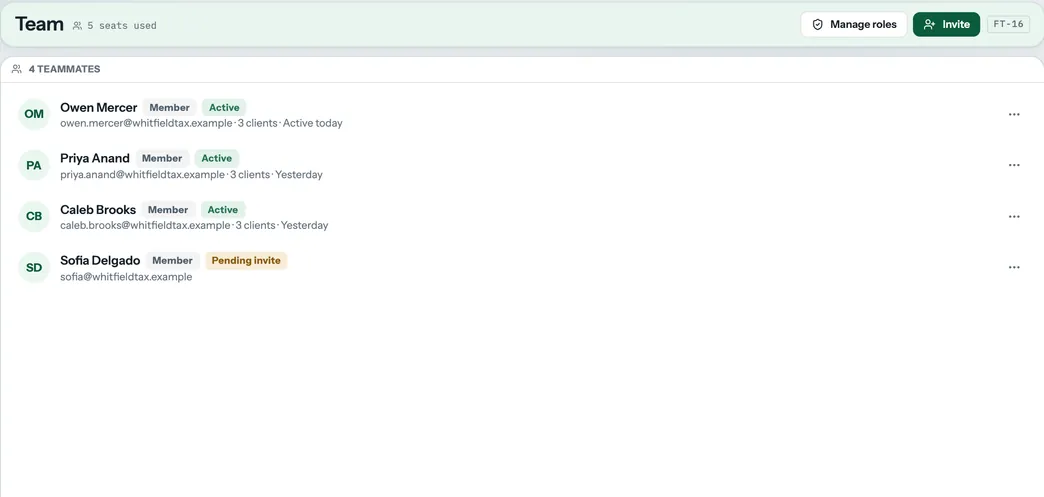
Yes — the Firm plan ($79/month) supports up to 5 team members with a shared client pool, task assignment, and a team activity log. The Agency plan supports unlimited team members. Each team member has their own login.
No. FinishTax runs entirely in your browser — no download, no installation, no plugins. Works in Chrome, Firefox, and Edge. On the free plan it works offline after the first load.
Yes — all paid plans include a 14-day free trial with no credit card required to start. Full access to all features during the trial. Cancel any time before it ends and you won't be charged.
Cancel anytime from Settings → Billing → Manage Subscription inside the app. Your access continues until the end of your current billing period. No cancellation fees, no contracts. After cancellation your account reverts to the free tier.
FinishTax is a productivity and workflow tool — not a tax preparation or filing platform. It does not transmit data to the IRS. On the free plan all data stays in your browser. Consult your firm's compliance officer for specific regulatory requirements.
Yes, at any time. Settings → Export Data downloads all your clients, tasks, documents, and activity logs as a single JSON file. This can be used as a permanent backup or re-imported into FinishTax at any time. Your data is always yours.

Get organized before next tax season.

Join tax preparers using FinishTax to manage clients, track deadlines, and store documents — all in one private workspace.

Open FinishTax Free → View Pricing ↑

Free for up to 3 clients. No signup required.

AES-256 encryption Cloudflare R2 storage SOC 2 compliant (Supabase) Vercel edge network Payments by Stripe